Features: a budget app and check register in one

Meadowlark gives your household a check register for every account, a monthly budget, account balancing, reports and check printing. Here is every tool, what it does, and what it doesn’t.

In short: Meadowlark Finance keeps a running balance on every account, plans a monthly budget by category, balances your accounts to the penny, shows where your money goes, and prints checks. It runs as a Windows desktop app or in any web browser, and the Small Business plan adds invoices and bills.

By the Meadowlark team at RockSolid Data Solutions · Last updated

The main tools

What can Meadowlark do?

Five tools do most of the work. Each one has its own page with the details.

Check register

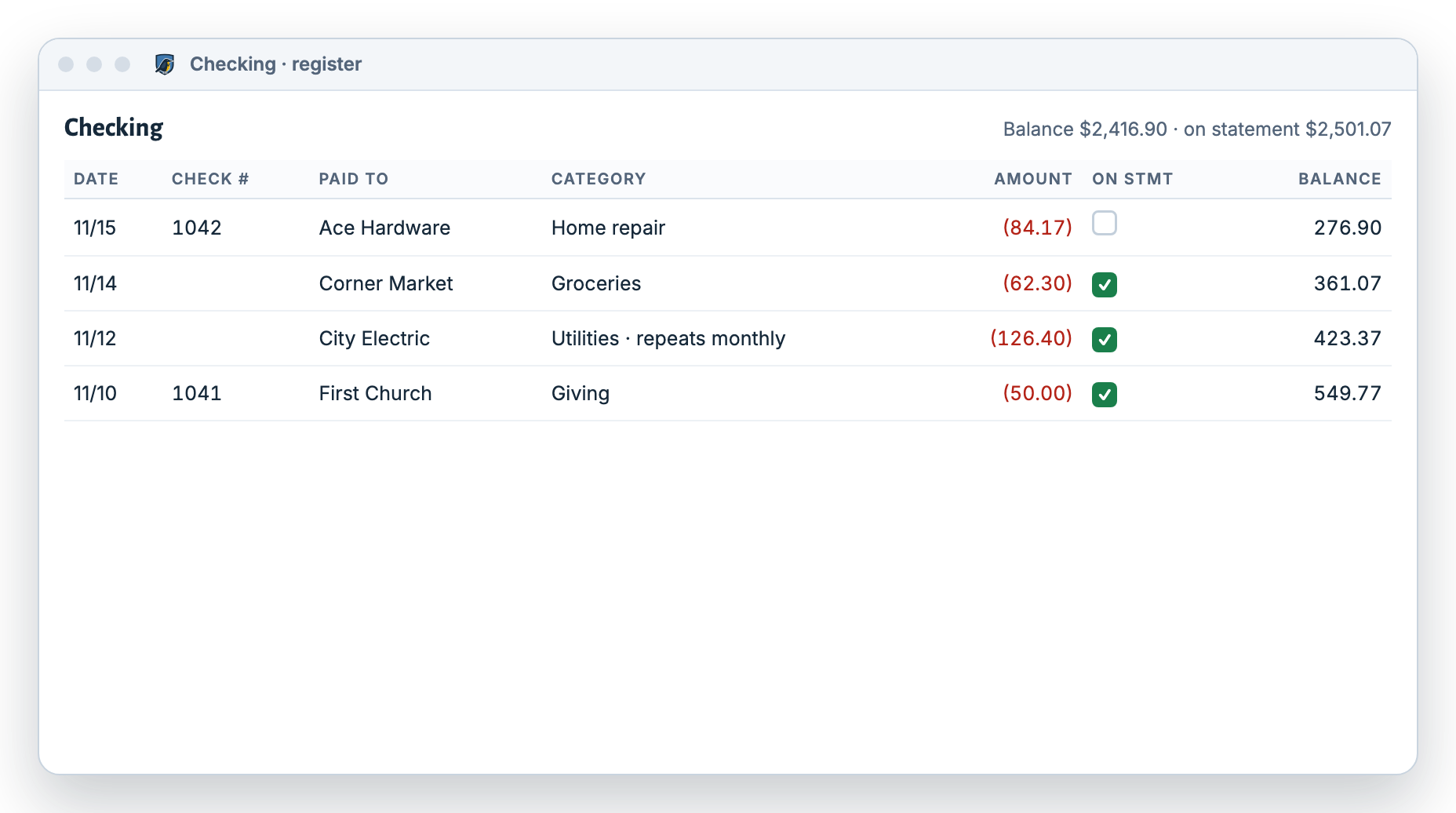
Every account gets a register with a running balance: checking, savings, cash, credit cards, loans and other assets like a house or car.

  • Date, check number, who you paid, category, note and amount on every line
  • Split one purchase across several categories
  • Attach receipts, repeat bills on a schedule, and import bank files
More about the check register
Meadowlark checking account register with check numbers, who was paid, categories, amounts and a running balance on each line

Monthly budget

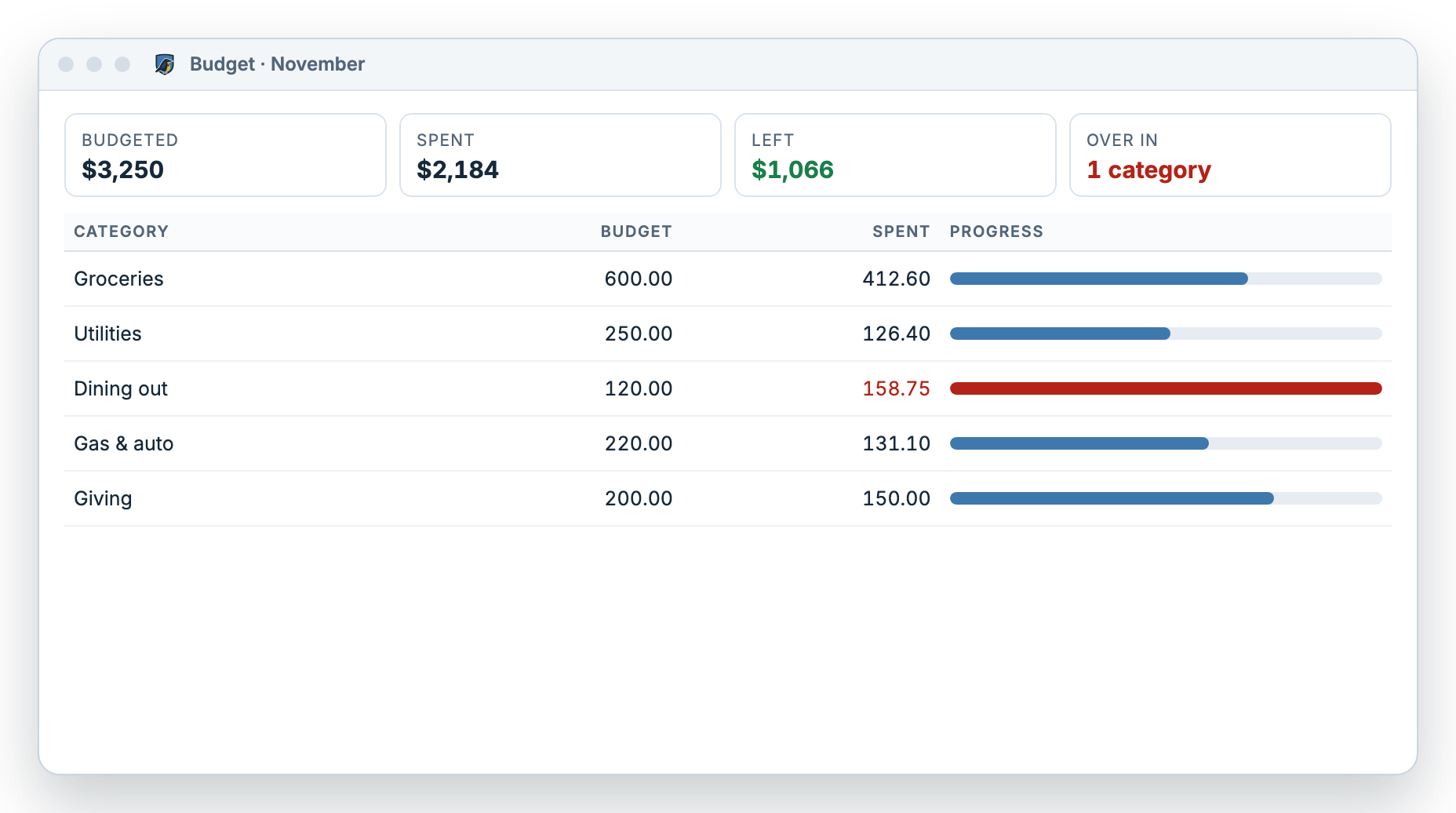
Set an amount for each category for the month. Meadowlark shows what you budgeted, what you spent and what’s left.

  • Progress bars for every category
  • Over budget shows plainly
  • Copy this month forward to next month
More about the budget app
Meadowlark monthly budget with groceries, utilities, dining out, gas and giving, each showing budgeted and spent amounts and a progress bar

Balance your accounts

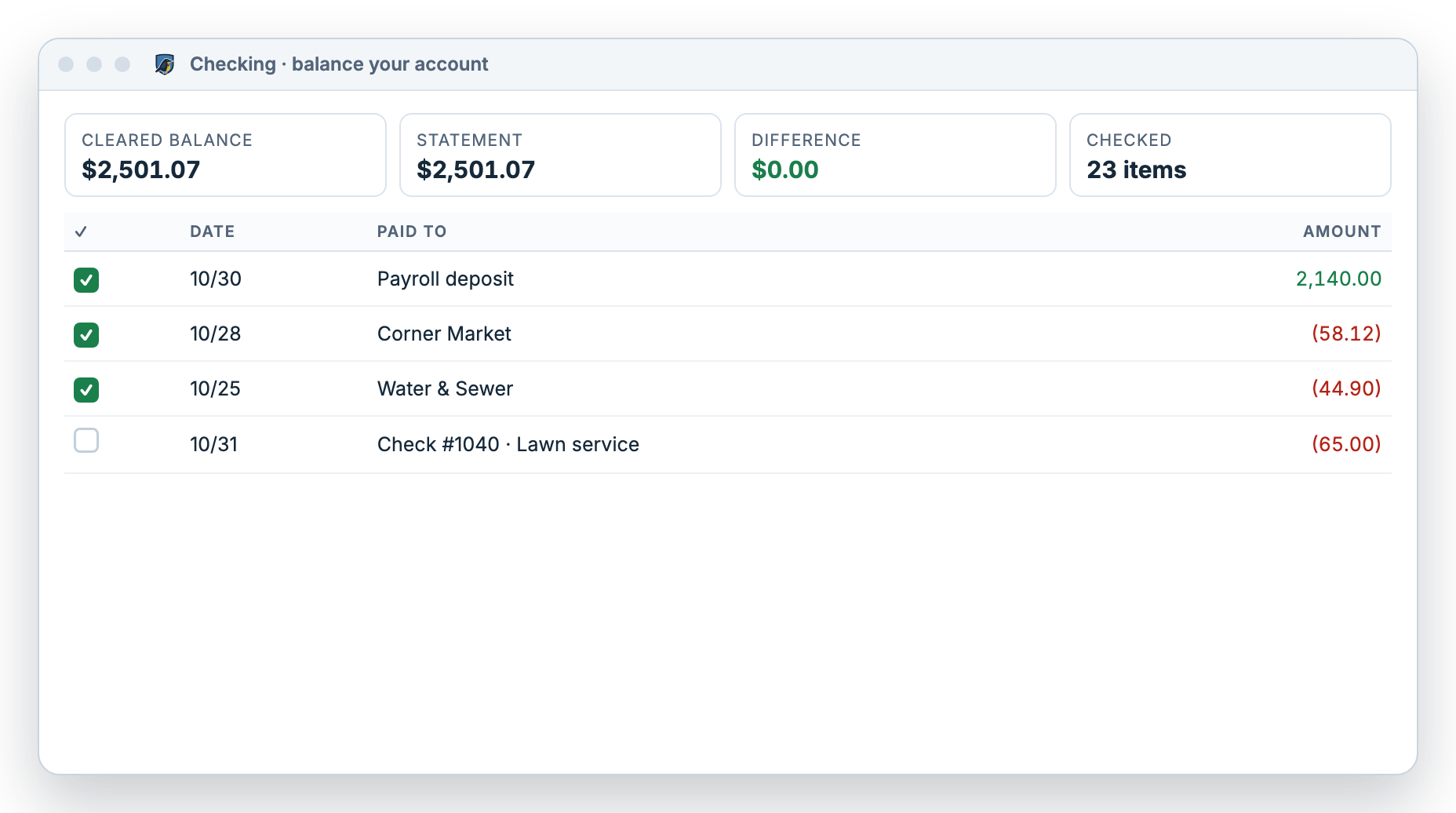
Enter your statement’s ending balance, tick each item on the statement, and finish when the difference is $0.00.

  • Cleared balance, statement balance and difference side by side
  • Stop partway and pick up later
  • Every finished month is saved to history
How balancing works
Balancing a checking account in Meadowlark: the cleared balance matches the statement balance and the difference is $0.00

Reports

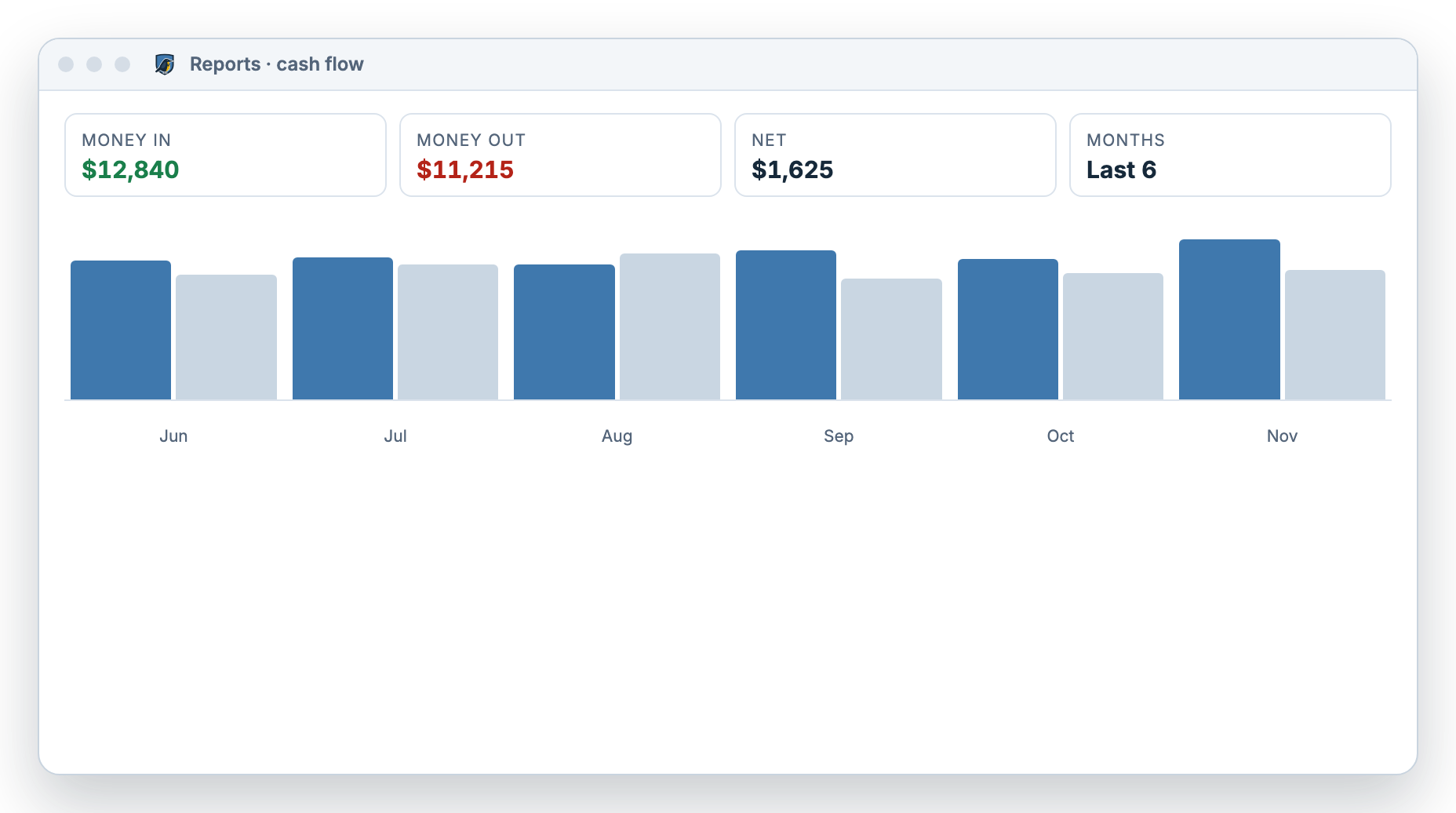
See where your money goes with spending by category, cash flow by month and your net worth.

  • Date ranges, account filters and drill-down
  • Net worth compared with an earlier date
  • A change history of every edit
More about the spending tracker
Meadowlark cash flow report with money in, money out and net for each of the last six months

Small business tools Small Business

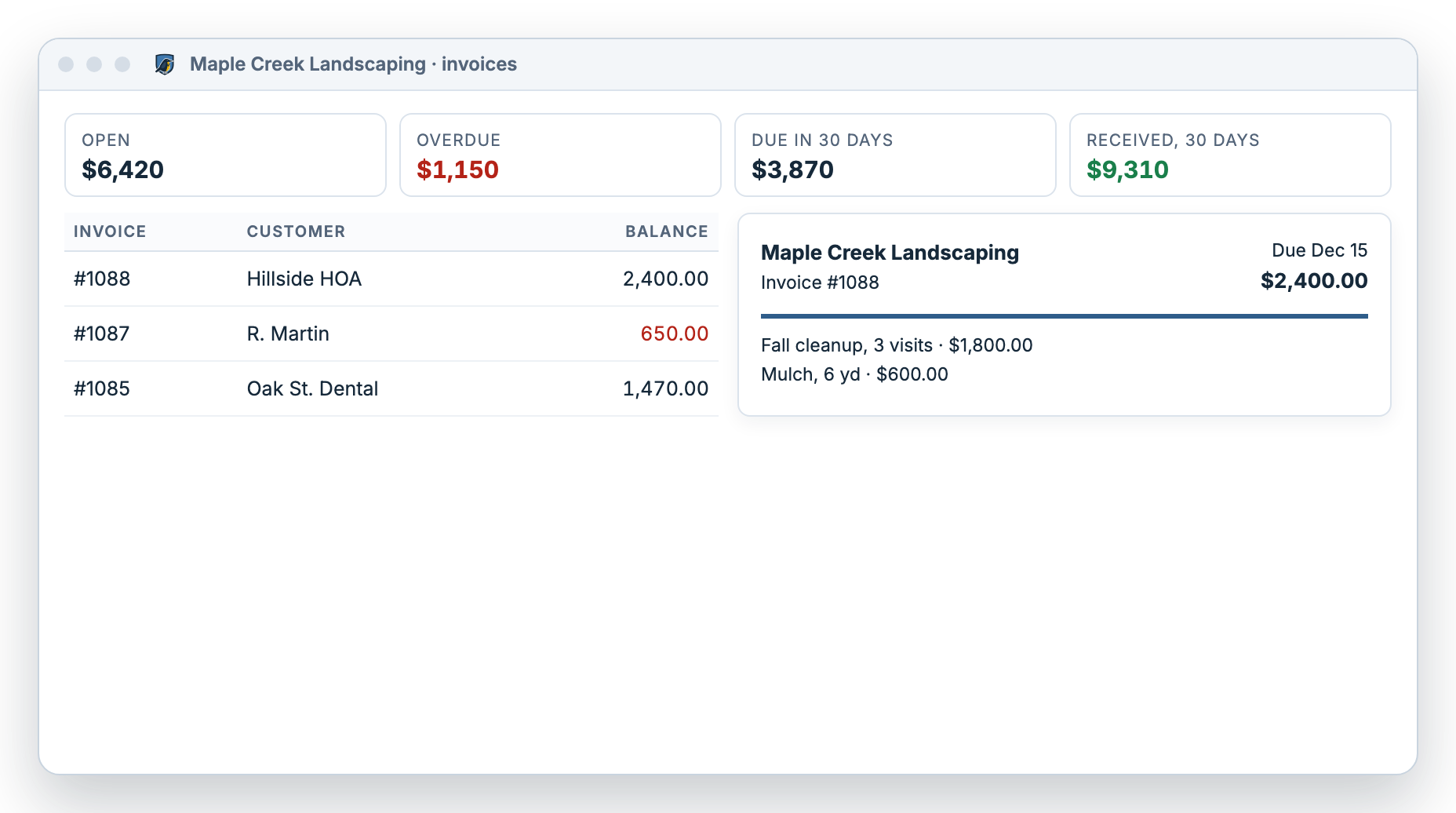
If you also run a small business, the Small Business plan adds invoices, customer payments, bills and vendors, plus a profit report and balance sheet.

  • Invoices in 4 designs with your logo
  • Receive payments by check, cash or ACH
  • Pay Bills prints checks 3 per page
More about Small Business
Meadowlark invoices list for a small landscaping business with open, overdue and due-soon totals and an invoice preview

Example data. Screens shown are illustrations of the real app.

Everyday helpers

What else is built in?

These features save typing and help you stay on top of bills.

Repeating payments

Save a bill or paycheck on a schedule. It can enter itself, remind you, or wait as a template. Enter, skip, pause or resume it, and see what’s overdue.

Repeating payments in the register

Rules for who you paid

Rules using Contains, Equals or Starts with fill in the category and can rename messy bank descriptions, like turning “POS 4471 KROGER #322” into “Kroger”.

How rules work

Import bank files

Import .csv, .ofx, .qfx or .ods files up to 2 MB. Map the columns once, preview every row, and rules sort them as they come in.

Importing transactions

Loans

Turn on smart loan and Meadowlark splits each payment into interest and principal from your loan terms, with a live preview of the new balance.

Loans in the register

Check printing

Print voucher or 3-per-page checks. Line up the fields once on screen, add an optional signature image, and print one check or a batch.

More about check printing

Windows and web

Use the Windows desktop app, which works offline and backs up every 2 hours by default, or the web version from any browser.

Windows app

Plans

Which features come with each plan?

Personal has everything a household needs. Small Business includes all of Personal and adds tools for a small business. You can switch anytime without losing data. See pricing for details.

Both plans include a 30-day free trial with no card needed.
FeaturePersonalSmall Business
Check register with running balanceYesYes
Monthly budget by categoryYesYes
Balance accounts to the pennyYesYes
Spending, cash flow and net worth reportsYesYes
Repeating payments, rules and importsYesYes
Check printingYesYes
Invoices, customer payments and statementsNoYes
Bills, vendors and Pay BillsNoYes
Profit report, balance sheet and locked periodsNoYes

Honest limits

What doesn’t Meadowlark do?

We’d rather you know now than find out later. Meadowlark does not have these features today.

Not included

  • Automatic bank syncing. You type in or import transactions.
  • Investment tracking
  • Payroll
  • Sales tax filing
  • Team accounts. Each account has one owner.
  • A Mac desktop app or a phone app. Mac users use the web version.

Another app may suit you better if you…

  • Want every purchase pulled from your bank on its own
  • Mostly manage money from your phone
  • Want to track stocks, funds or retirement accounts
  • Need several people signing in to one account
  • Need payroll or full accounting for a growing company

Questions

Feature questions

Is Meadowlark a budget app or a check register?

Both. Each account has a check register with a running balance, and the monthly budget uses the same transactions, so you see what you have and what you planned in one place.

What file types can I import?

CSV, OFX, QFX and ODS files up to 2 MB each. You preview every row before anything is saved.

Can I keep my household and a small business apart?

Yes. A profile is one set of finances. You can keep several, for example one for your household and one for a small business you run on the side.

Do the desktop and web versions share data?

No. The Windows app and the web version are separate and do not sync. Pick the one that suits you best.

Does Meadowlark track investments?

No. You can record the value of a house or car and track loans, but there is no investment tracking.

Try every feature free for 30 days.

No card needed. Windows desktop or web.