Household Budget App

One place for your family’s money: the checking account, the savings, the credit cards, the car loan and the monthly budget that ties them together.

In short: Meadowlark is a household budget app for couples and families. You keep one profile for your home with every account in it, plan a monthly budget by category, stay on top of bills, and track savings, loans and checks. It runs on Windows and in any web browser.

Family budget, home budget

What does a household budget app need to do?

A family budget has more moving parts than a personal one. There are more accounts, more bills, and more people spending. Meadowlark puts all of it in one profile for your home.

One profile for the household

A profile is one set of finances. Make one for your home, such as “Our Household”, and put every account in it: joint checking, each person’s card, savings, cash and loans.

A monthly budget you plan together

Set an amount for each category, like groceries, kids’ activities, gas and giving. See budgeted, spent and what’s left for each one as the month goes on.

Bills that don’t slip

Set up repeating payments for the mortgage, utilities and insurance. They can enter themselves on schedule or remind you, and you can see what’s overdue.

How it works at home

How do couples and families use Meadowlark?

Plan the month by category

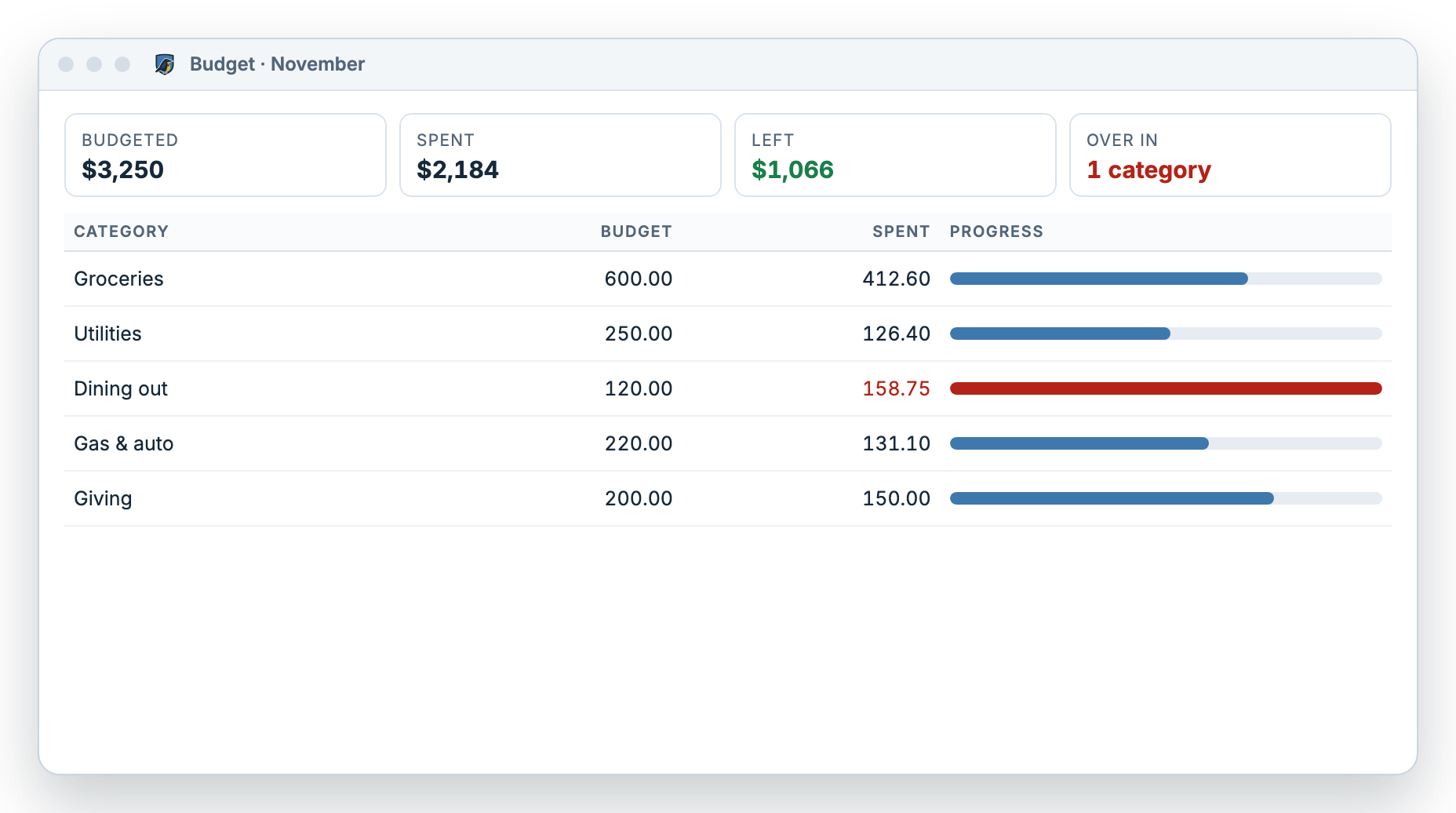
Sit down at the start of the month and set your budget. Meadowlark shows progress bars for each category, and over budget shows plainly. When the month is done, copy it forward to the next month and adjust.

  • Budgeted, spent and what’s left for each category
  • Copy a month forward in one step
  • Spending by category reports to talk over together
More about the budget app
Meadowlark monthly household budget with groceries, utilities, dining out, gas and giving, each showing budgeted and spent amounts with a progress bar

Every account with a running balance

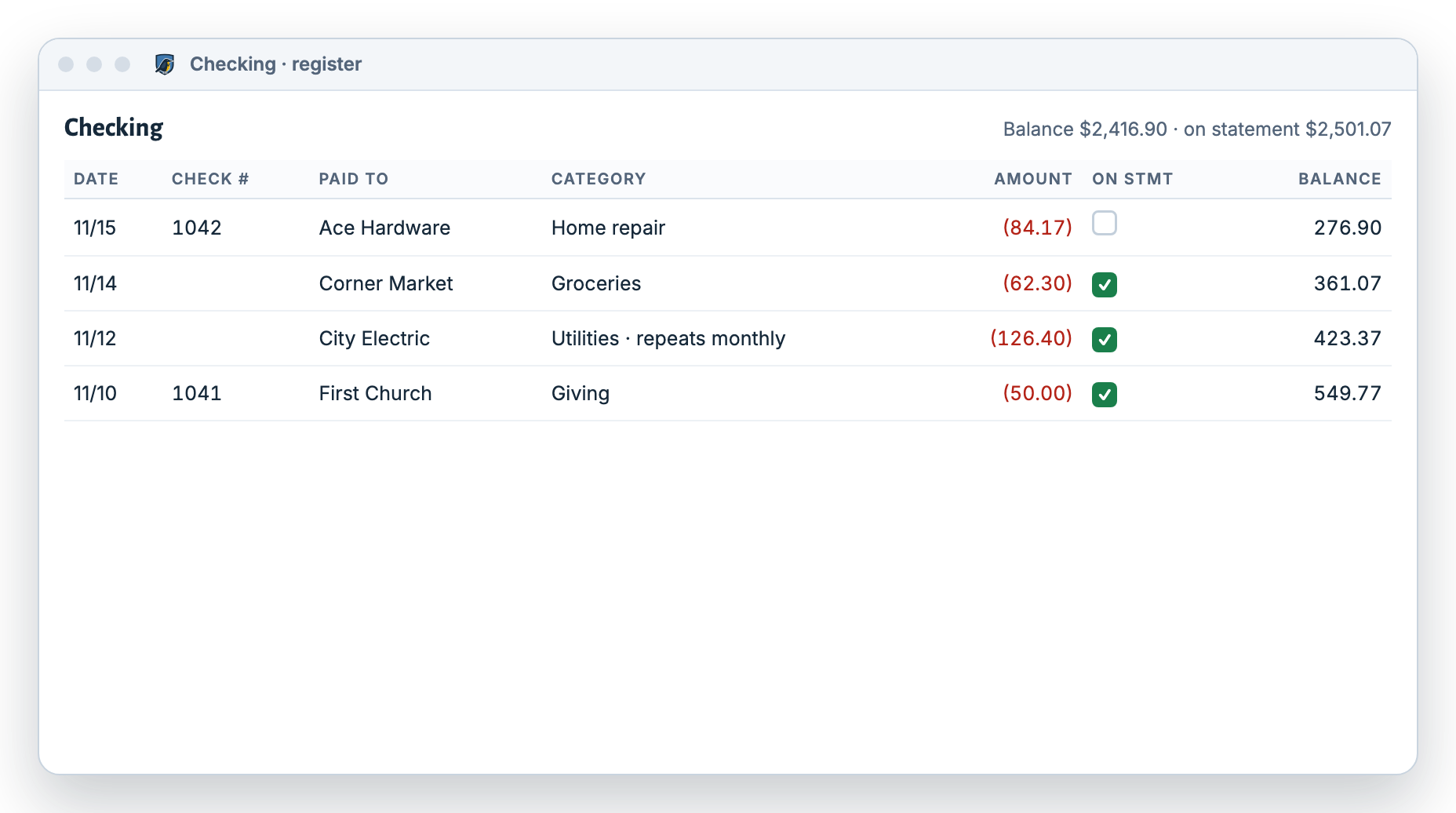
Each account gets a check register with a running balance, so you both know what’s really in checking before the next bill comes out.

  • Checking, savings, cash, credit cards, loans and other assets
  • Split one receipt across several categories, like groceries and household items
  • Attach receipts as images, PDF or DOC files, up to 20 MB each
More about the check register
Meadowlark checking account register with check numbers, who was paid, categories, amounts and a running balance

Can it handle savings, loans and checks too?

Yes. A home budget is more than groceries and gas. Meadowlark covers the bigger pieces of household money as well.

Savings goals

Keep each savings account in your profile and budget a monthly amount toward it. Transfers between checking and savings show in both registers.

Mortgage, car and student loans

Turn on “smart loan” and Meadowlark splits each payment into interest and principal from the loan’s rate, term, payment and start date, with a live preview of the new balance.

Checks for rent, the babysitter or the church

Print checks on voucher, voucher with window envelope, or standard 3-per-page check paper. Line up the fields once and print any time.

What you own and what you owe

Record the value of your house or car and see your net worth over time, compared with an earlier date.

Can each family member have their own login?

No, and we want to be upfront about it. Each Meadowlark account has one owner and one login. There are no separate logins for each family member.

On the web

The web version signs in with one email and password per account. Most households choose one person to keep the register up to date and sit down together to look at the budget.

On a Windows PC

The desktop app has no login screen. It opens straight to your profiles, so anyone who uses that PC can open it. It works offline and backs up automatically every 2 hours by default.

The desktop and web versions are separate and don’t sync, so pick the one your household will use. Meadowlark doesn’t connect to your bank; you enter transactions or import your bank’s CSV, OFX, QFX or ODS file.

Is Meadowlark the right family budget app for you?

A great fit if your household…

  • Wants one shared picture of every account and bill
  • Keeps a checkbook or writes checks
  • Likes to sit down once a month and plan the budget
  • Has one person who mostly handles the money
  • Uses a Windows PC or a web browser

Another app may suit you better if…

  • Each person wants their own login and phone app
  • You want transactions pulled from your bank automatically
  • You want to track investments
  • You use a Mac and want a desktop app rather than a web app

Written by the Meadowlark team at RockSolid Data Solutions · Last updated

Household budget questions

What is the best way to budget as a couple?

Put every account in one place, agree on a monthly amount for each category, and check in together once a month. Meadowlark keeps your accounts in one household profile and shows what’s left in each category, so the conversation starts from the same numbers.

Can my spouse and I both use Meadowlark?

Each account has one owner and one login, with no separate logins for each person. Many couples have one person keep the register up to date and review the budget together.

Can I keep my household and my small business apart?

Yes. Keep a separate profile for each. With the Small Business plan, your small business profile also gets invoices, customer payments and bills. See Small Business.

Does Meadowlark work on a phone?

There is no dedicated phone app. The web version works in a browser, and the desktop app runs on Windows.

How much does it cost?

See pricing for the current plans. Every plan starts with a free 30-day trial, and you don’t need a card.

Get your household on the same page.

Try Meadowlark free for 30 days. No card needed. Windows desktop or web.