Spending Tracker & Expense Tracker

Every check, bill and purchase you record in Meadowlark gets a category. The reports turn those into clear answers: where your money goes, how each month went, and what you’re worth.

In short: Meadowlark tracks expenses through your check register and shows them in four reports: income and spending by category, cash flow by month, net worth, and a change history. You can pick the date range, filter by account and drill down from a category to the transactions behind it.

By the Meadowlark team at RockSolid Data Solutions · Last updated

Getting started

How do I track expenses in Meadowlark?

Your spending tracker is your check register. Anything you record there shows up in the reports.

  1. Record spending

    Type in purchases and checks, let repeating bills enter themselves, or import .csv, .ofx, .qfx or .ods files from your bank.

  2. Let rules sort it

    Rules fill in the category for places you shop often and tidy up messy bank descriptions. Split a purchase that covers more than one category.

  3. Open a report

    Pick a report and a date range. In the spending report, click a category to see the transactions behind it.

Reports

What reports does the spending tracker include?

Income and spending by category

See spending by category for any date range. Filter to one account or several, and drill down from a category to every transaction in it.

  • Find the categories that cost the most
  • Compare against your monthly budget
  • Check a single account, like one credit card
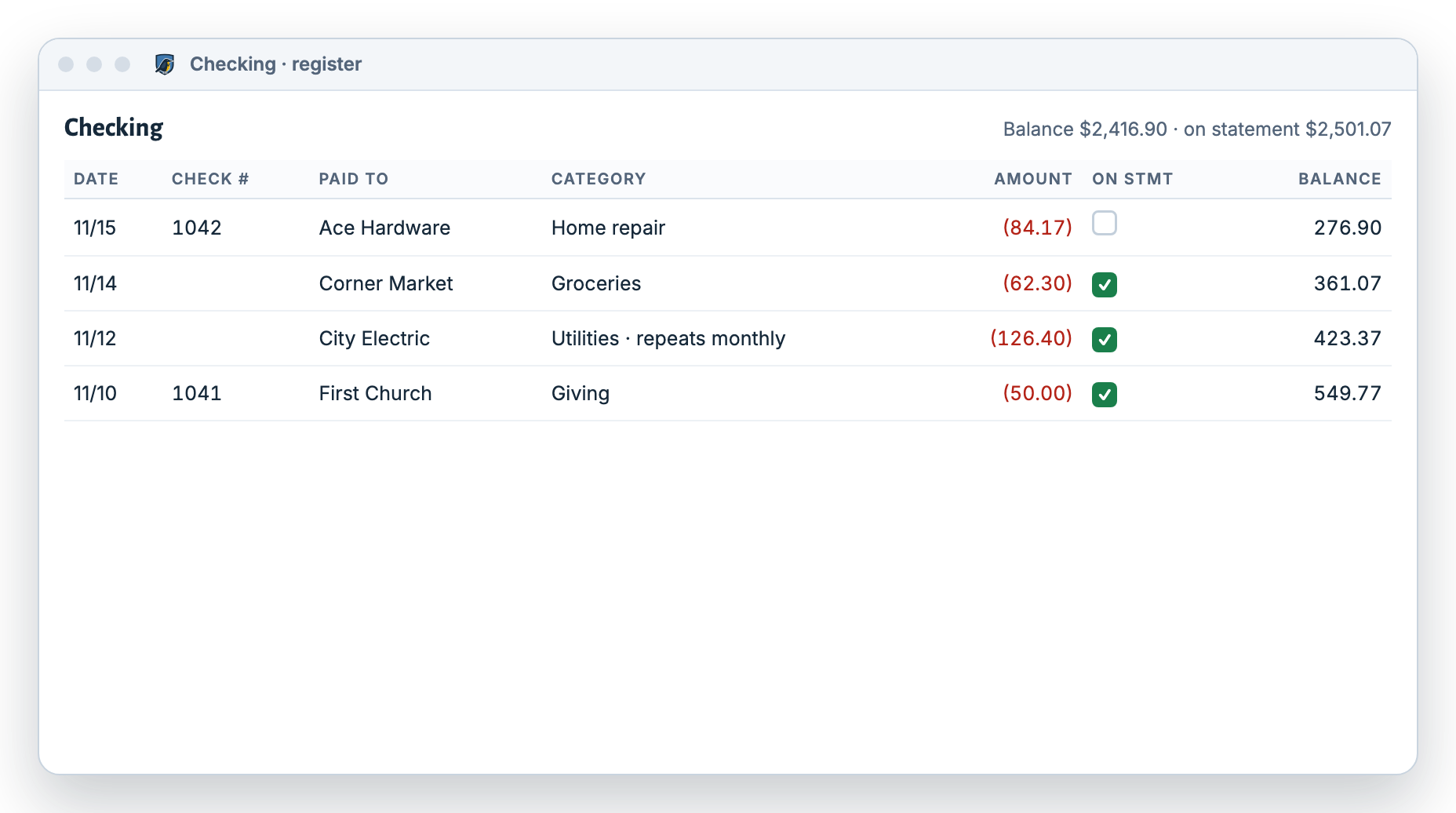
Meadowlark checking register where each transaction has a category, which feeds the spending by category report
Example data. Each category in your register feeds the reports.

Cash flow by month

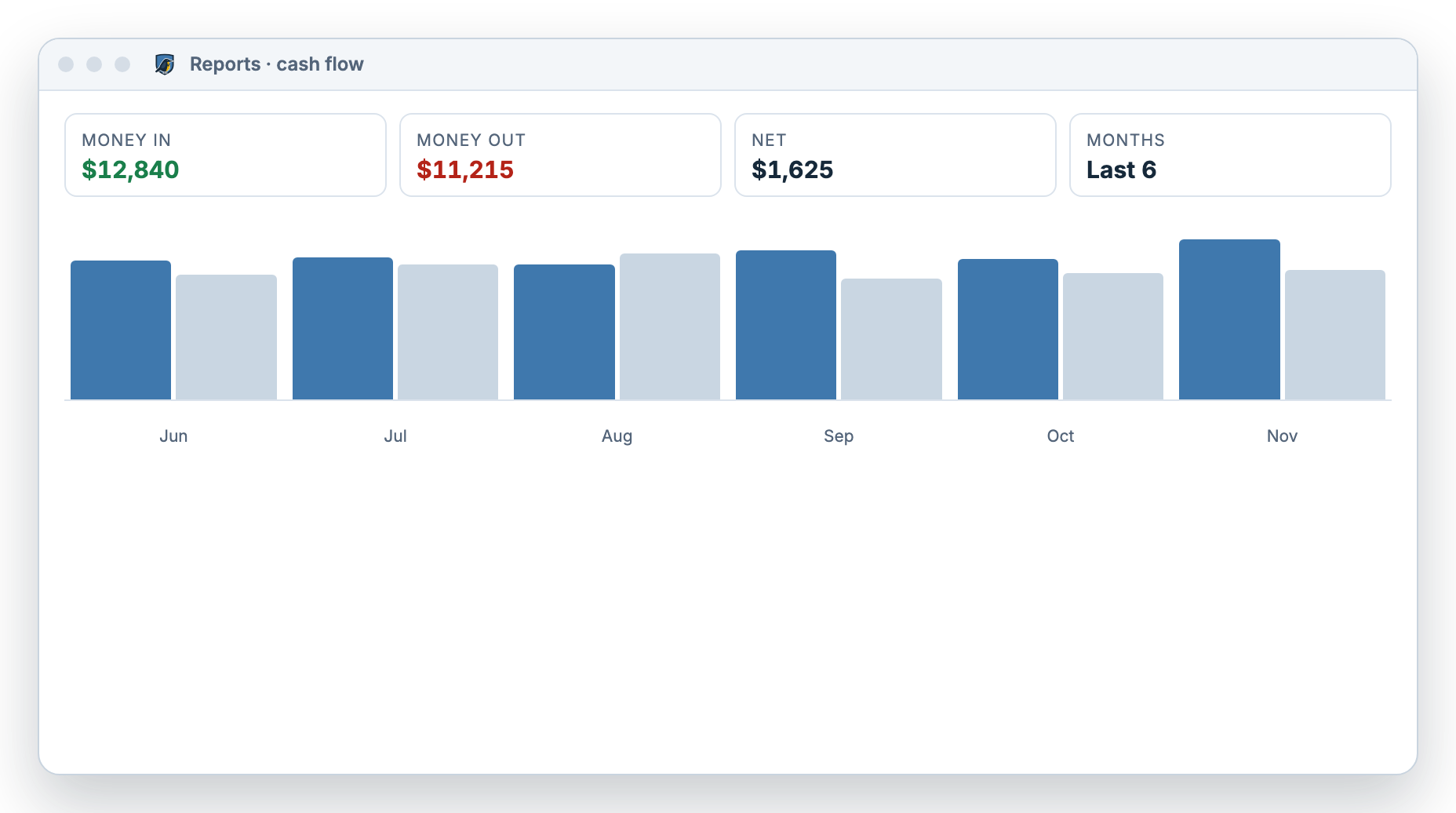
Money in, money out and the net for each month. Spot the months you saved and the months you didn’t.

  • Last 3, 6 or 12 months
  • This year or last year
  • Or any custom range
Meadowlark cash flow report showing money in, money out and net for each of the last six months
Example data. Cash flow for the last six months.

Net worth

What am I worth?

Net worth is what you own minus what you owe. Meadowlark adds up your accounts and assets, like a house or car, and subtracts credit cards and loans. Compare it with an earlier date to see if you’re moving forward.

Change history

What changed, and when?

The change history is a log of every change to your data, with filters. If a balance looks off, you can see what was added, edited or deleted, and when.

Which report?

Which report answers my question?

All reports are included in both the Personal and Small Business plans.
Your questionReportOptions
Where does my money go?Income and spending by categoryDate range, account filter, drill-down
Did I spend more than I made this month?Cash flow by month3, 6 or 12 months, this year, last year, custom
Am I better off than last year?Net worthCompare with an earlier date
Why did this balance change?Change historyFilters

Who it’s for

Is Meadowlark the right expense tracker for you?

Based on each app’s website, checked November 2026.

Meadowlark is a great fit if you…

  • Want spending reports tied to a check register you trust
  • Like seeing every transaction because you entered or imported it
  • Want spending, budget and checkbook in one app

Another app may suit you better if you…

  • Want purchases pulled from your bank on their own (Monarch Money, Quicken Simplifi)
  • Want to track investments alongside spending
  • Prefer to work in a spreadsheet (Tiller)
  • Want to snap and log expenses from a phone app

Questions

Spending tracker questions

Does Meadowlark track spending automatically?

It sorts spending for you once it’s in: rules fill in categories and repeating bills enter themselves. Meadowlark doesn’t connect to your bank, so you type in purchases or import your bank’s file.

Can I see spending for just one account?

Yes. The spending by category report has an account filter, so you can look at one card or all accounts together.

Can I see last year’s spending?

Yes. Cash flow has a last-year option, and every report lets you pick a custom date range.

Can I keep receipts with my expenses?

Yes. Attach images, PDF or DOC files up to 20 MB each to any transaction.

Does the net worth report include my house?

Yes, if you add it. Record the current value of a house or car as an asset, and add the loan against it.

See where your money goes.

Try Meadowlark free for 30 days. No card needed. Windows desktop or web.